Housekeeping
- Daily & periodic cleaning planner across every room and dorm
- Public and common-areas cleaning schedules
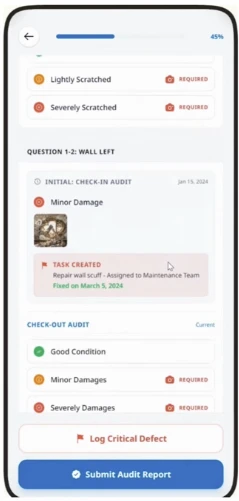
- Mandatory checklists before, after and at inspection
- Dedicated inspector app
- Automatic assignment by zones, workload, time or points
- Forecasting of cleanings and cleaning hours
- Recurring schedules, weekly matrix, start day + repeat every X days, per period
- Automatic workload redistribution
- Interactive map view of rooms in progress
- Real-time alerts on delays or overload
- Cleaners open maintenance tickets straight from the room
- Supervisor inspections with start / end tracking
- Cleaning cost per room type and per cleaning type
- Do-not-disturb logging
- Low-stock alerts on cleaning products
- Uniforms & equipment register per staff member
Maintenance
- One-off tasks from anywhere in the property
- Preventative & recurring maintenance, daily, weekly, monthly, specific dates, every X days
- Audits and PPMs
- External vendor access
- Incident pre-definition with department & priority routing
- Technicians assigned by area or incident type
- Photos, video and voice notes on work orders
- Materials used & costs recorded per job
- Estimated vs actual close dates
- Deadline reminders & escalation
- Recurring-breakdown detection
- Response and closure time analytics
- Work calendars per installation, fire protection, water safety, etc.
Front office & operations
- Multi-property in one account
- Room inventory & pictures
- Property information, access codes, locks, wifi
- Room changes
- Lost & found register
- Staff handover notes & scheduled notices
- Messages with images
- Escalations to supervisors with SLA indicators
- Notification center
Student application
- Residents report issues in their room, auto-creates a task for the right team
- Report issues in common areas
- Student feedback
- Residence information & useful links
- Optional payments via payment link
- Lost & found requests
The student app, up close
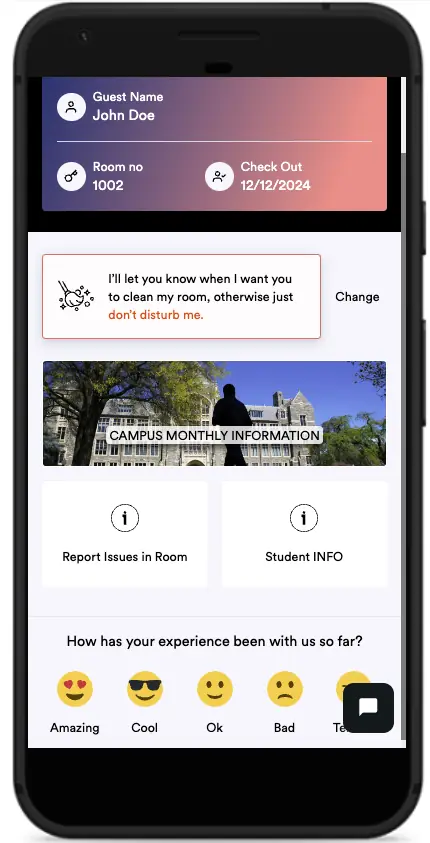
One app for everything: their room, their check-out date, cleaning preferences, campus news and instant feedback. Students stop emailing the front desk because they don't need to.
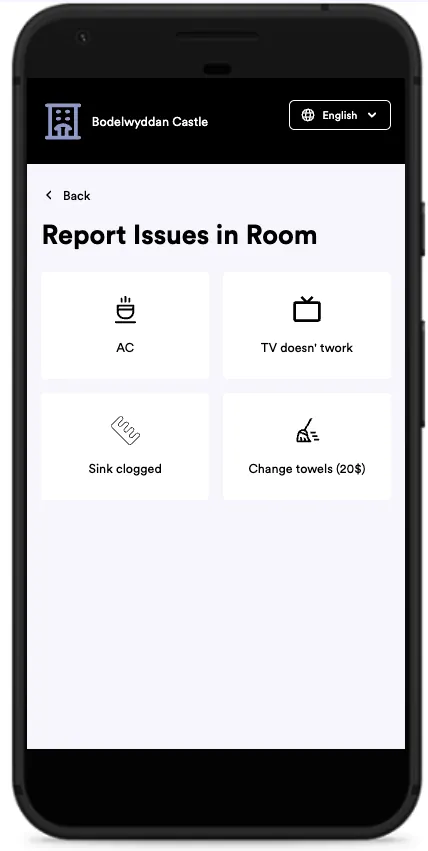
A broken AC or a clogged sink is two taps. Chargeable extras carry a price right in the app, requested, delivered and invoiced without anyone touching a spreadsheet.
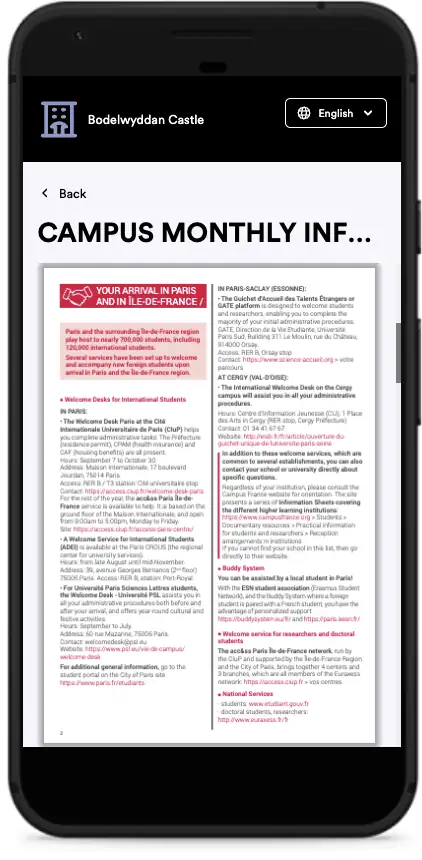
Publish arrival guides and monthly campus info straight to every student's phone. No mass emails nobody reads.
Student AI chat
- In-app AI chat for students and long-stay residents
- WhatsApp AI integration
- Automatic answers about the residence
- AI-triggered task creation from resident messages
Automation & AI agents
- Automatic task assignment by rules, department, priority, workload
- Automatic reassignment when deadlines are missed
- Alerts via push, email and in-app
- AI smart assignment optimising for workload, distance and priority
- Smart suggestions & flow-improvement recommendations from historical data
- Auto-triggered daily task lists
- Automated report subscriptions, daily, weekly, monthly
- Configurable notifications per event and department
Build out your property
- Buildings, floors, zones, sections and subsections
- Room types, dorms and beds within rooms
- Multi-residence in one account
- Room inventory and photos per unit
- Model your property exactly as it is
Asset management
- Asset list & asset value
- Material and labor costs
- Mark-up on re-invoicing
- Cost approval process
- Useful life, remaining life & depreciation tracking
- Future replacement investment planning
- Trend detection
- Invoice costs back to students and long-stay residents
Asset management, up close
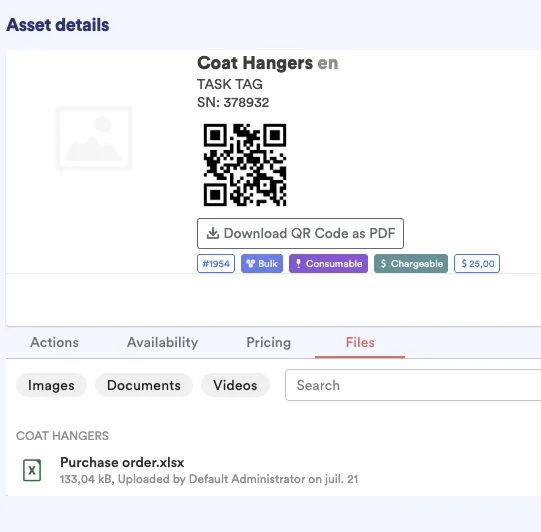
Every asset gets a QR code, down to the coat hangers. A student scans it, adds a photo, and the report lands with your team instantly. No front desk, no lost WhatsApps.
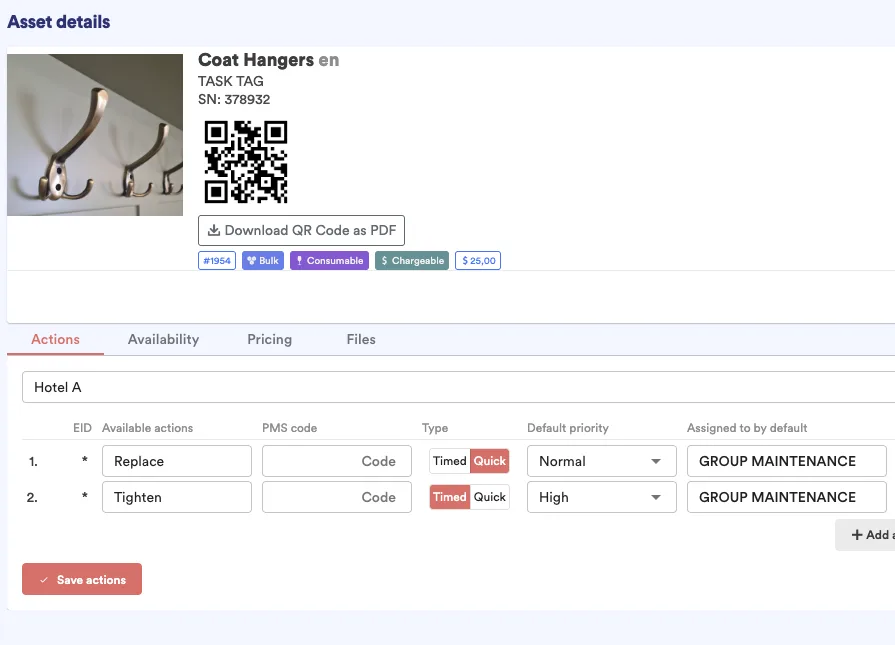
Each report fires the right action automatically. Replace or repair, routed to the right team at the right priority, nobody triages by hand.
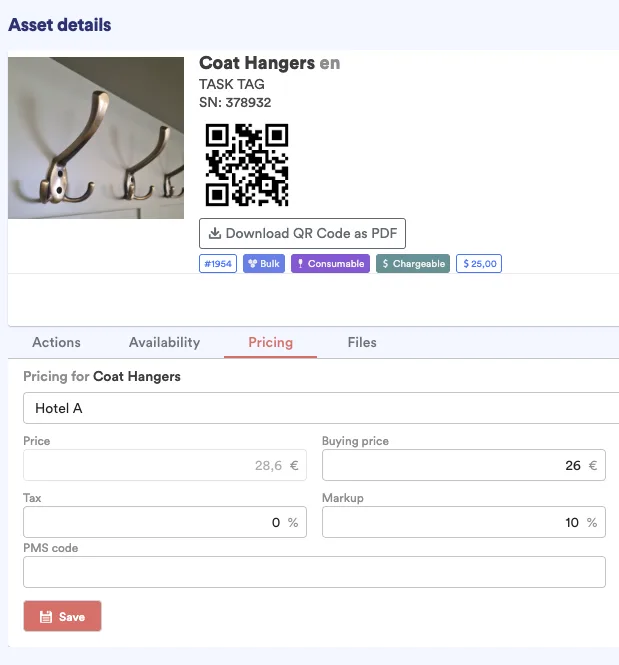
Every asset carries its price and your markup. When something is damaged or goes missing, the cost is invoiced back to the student automatically, no arguments at check-out.
Checklists & audits
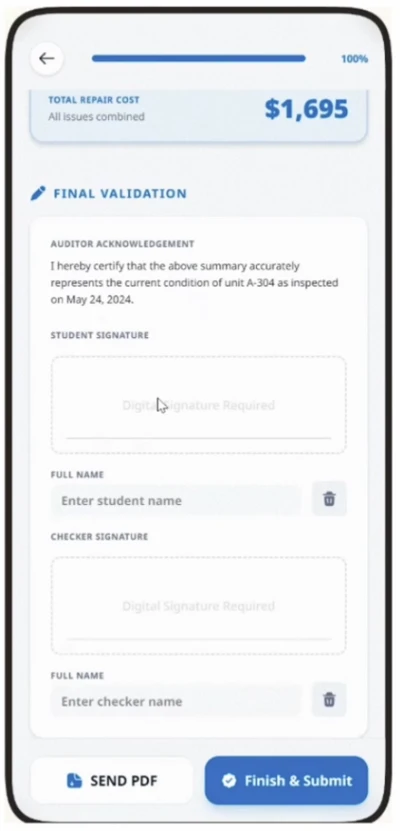
- Digital checklists for check-in, check-out, cleaning and maintenance
- Audit capability with scoring
- AI summaries of checklist answers
- Photo evidence on every step
- Student-facing optional check-in / check-out checklists, comparable side by side
Reports & dashboards
- Configurable by user and role
- Productivity metrics by employee and department
- Operational KPIs
- Alerting metrics, "notify me if something is off"
- Report subscriptions by email
- Full audit trail of every action, who, when, what
Management & direction
- Detailed tracking of every action, start, end, duration
- Who created, reassigned, commented or added pictures
- Visual reports and averages
- Audits scoring rooms, teams and individuals
- Automated report subscriptions
- Real cost tracking, staff, material and labor
- Pilot the property with data
Housekeeping
- Daily cleaning planner
- Common-areas planner
- Mandatory checklists
- Inspector app
- Automatic assignment
- Forecasting of cleaning hours
- Staff scoring
- ETA / ETD on the planning
- Auto-triggered daily task lists
Maintenance
- Punctual tasks from anywhere in the property
- Preventative & recurring maintenance
- Audits and PPMs
- External vendor access
- Tasks coming straight from the student app
- Overview of room status
- Fixed assets
- Detailed reporting
Front office / operations
- Multi-property account
- Buildings, floors, zones, sections
- Room inventory & pictures
- Property information
- Lost & found
- Handover between shifts
- Student feedback
Residents
- Student app to report issues
- AI chat & WhatsApp
- Optional check-in / check-out checklists
- Lease agreement signing
- Feedback